
iPhone beta · invite list open
Plans getburied ingroup chat
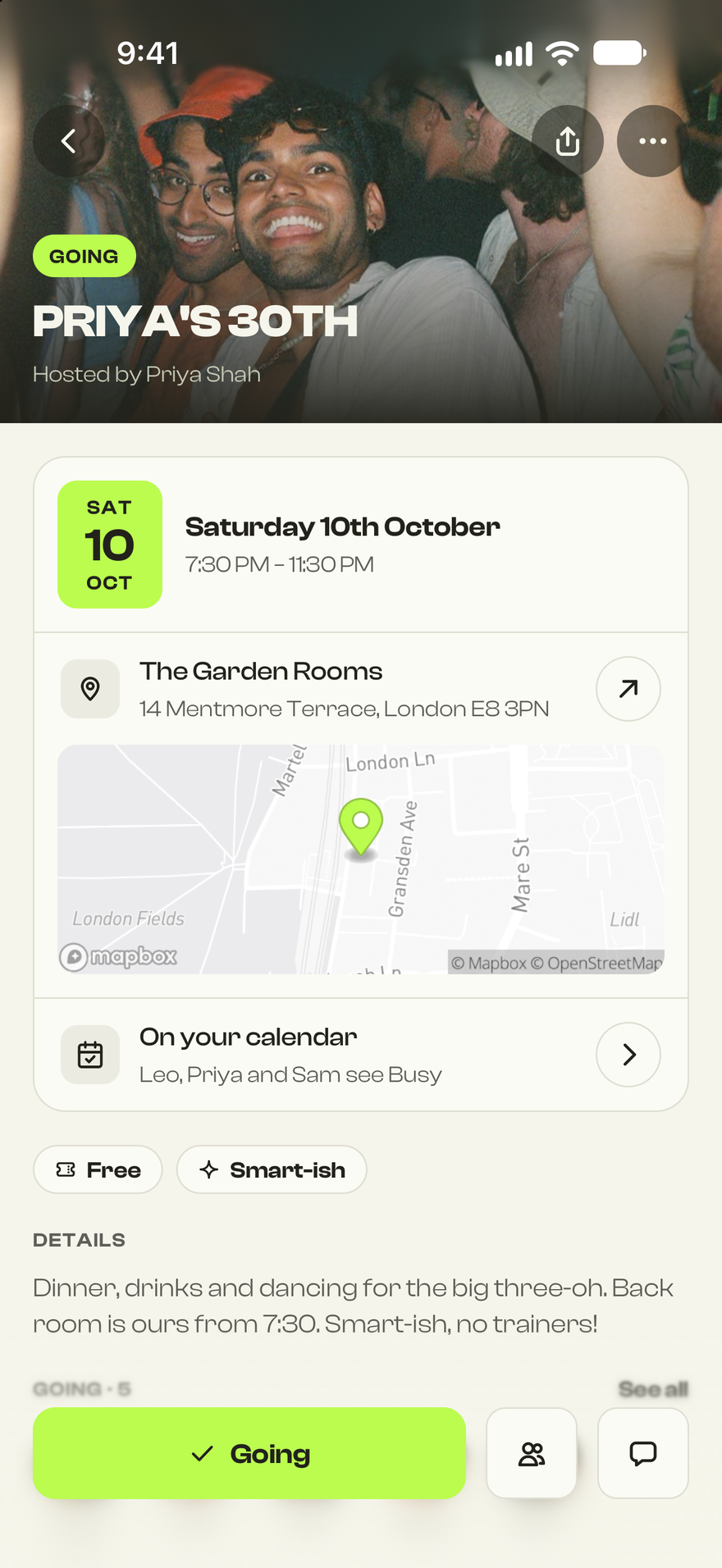
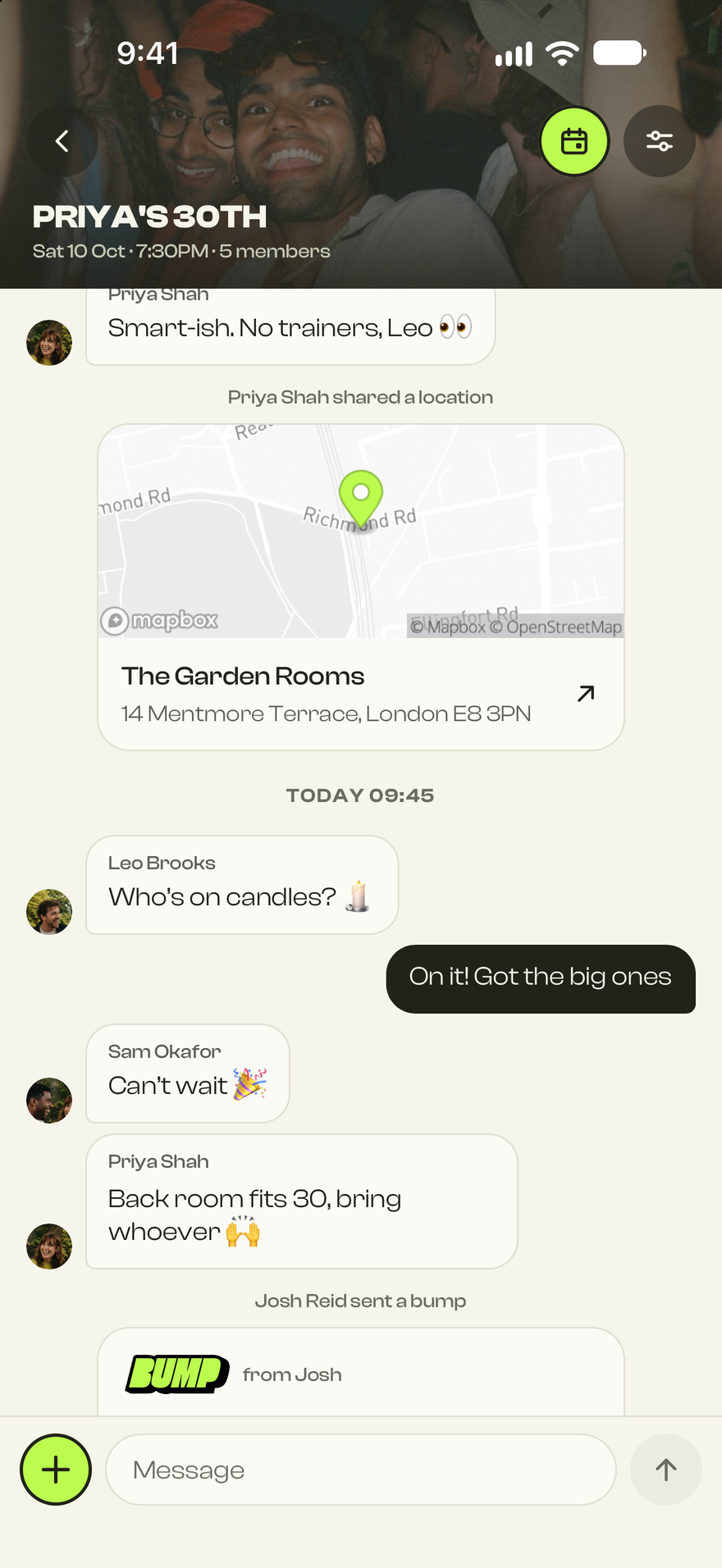
Bump turns the chat into the plan. Send a Bump, see who’s in, vote on the spot and split the bill, all without leaving the conversation. Get it early on TestFlight and help shape it before launch.
- Free during the beta
- iPhone · iOS 16 or later
- Your feedback goes straight to the team
How the beta works
In the app in three steps
Get on the list
Leave your email below. We let people in in small waves so we can fix things fast.
Open your invite
We’ll email you a TestFlight link. Apple’s free TestFlight app installs the beta for you.
TestFlight on the App StoreStart a plan
Install Bump, sign in with your number and send your first Bump to the group chat.
What you’ll be testing
From maybe to meet you there
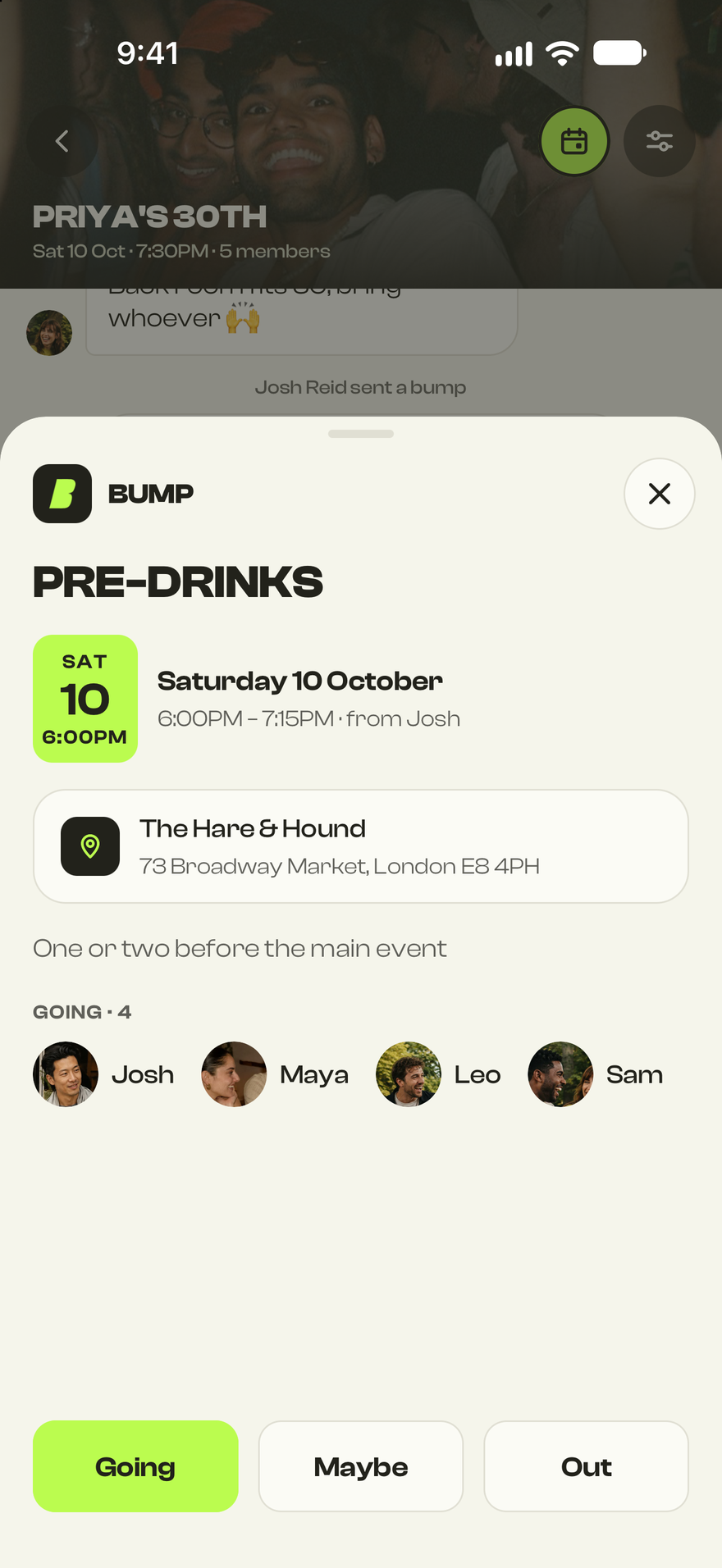
01 Send a Bump
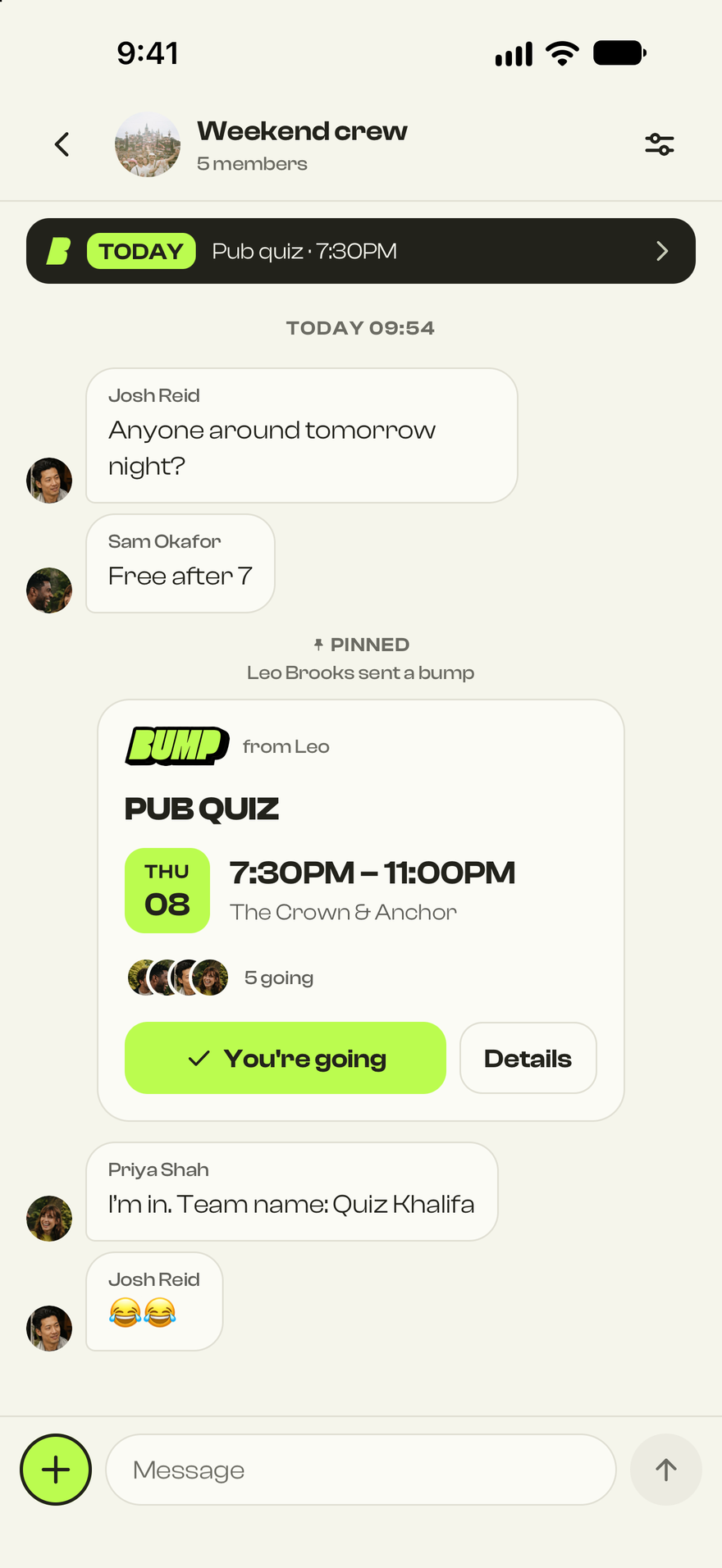
Drop the plan in the chat
A Bump is the plan itself: what, when and where. Everyone taps Going, Maybe or Out, and you see who’s in at a glance.
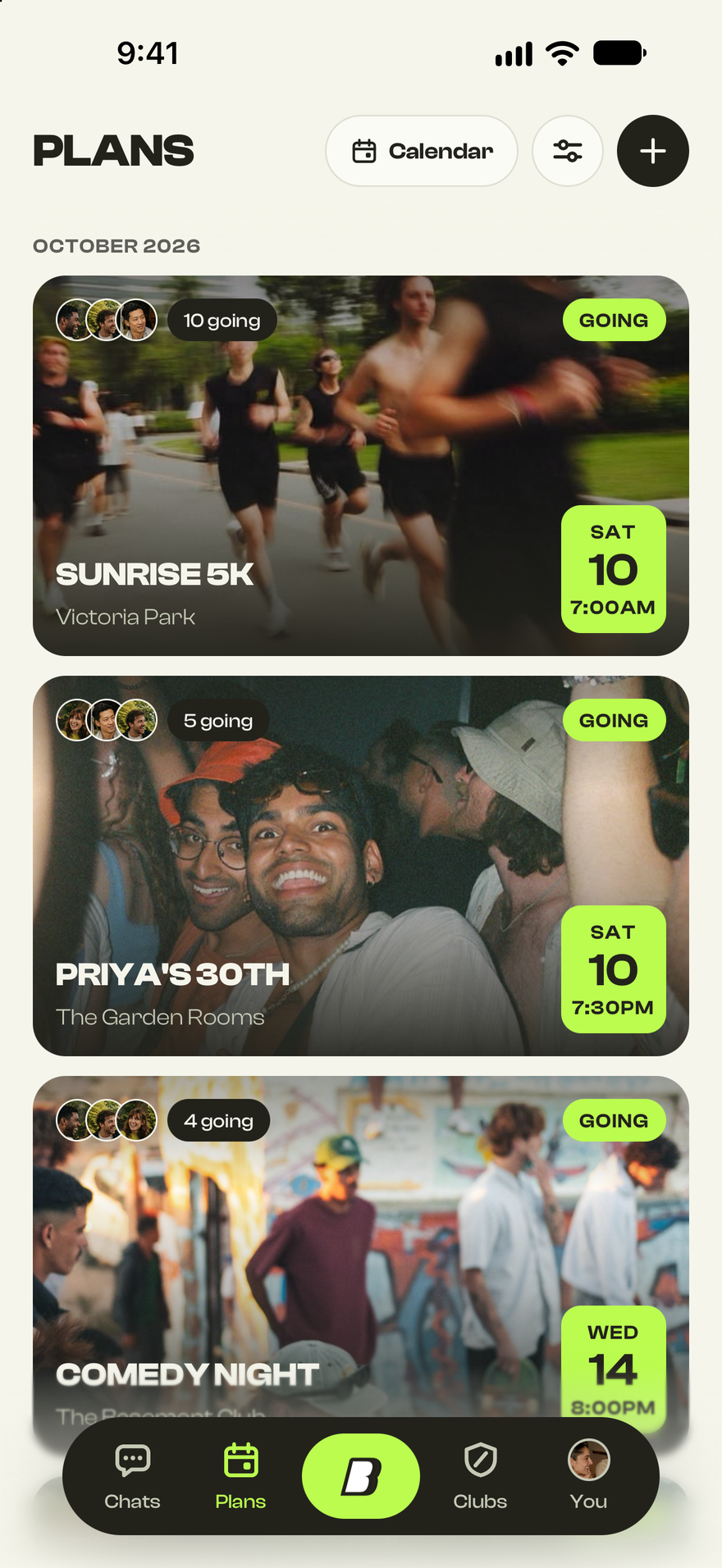
02 Plans
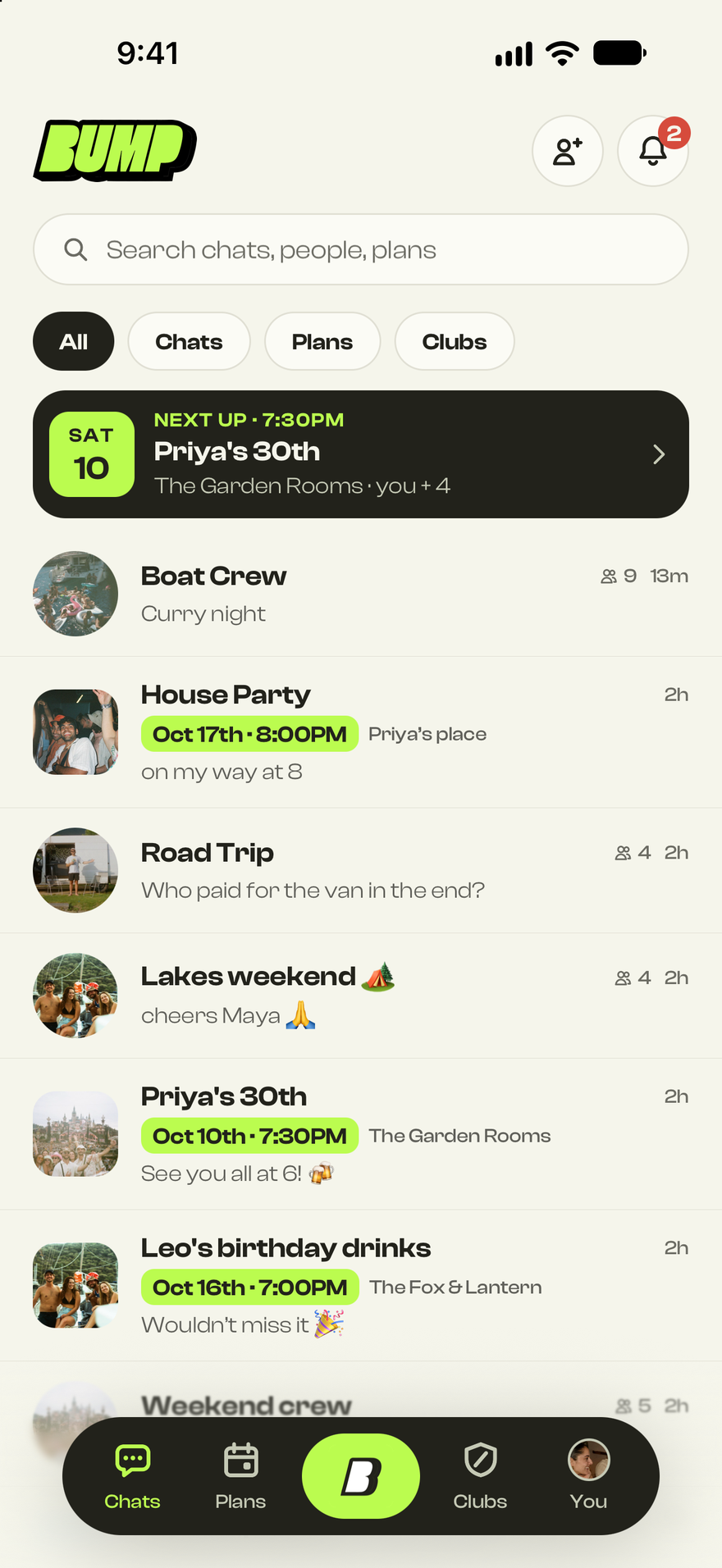
Every plan in one place
Your week, pulled out of every chat. Covers, dates and who’s coming, so nothing slips past you.
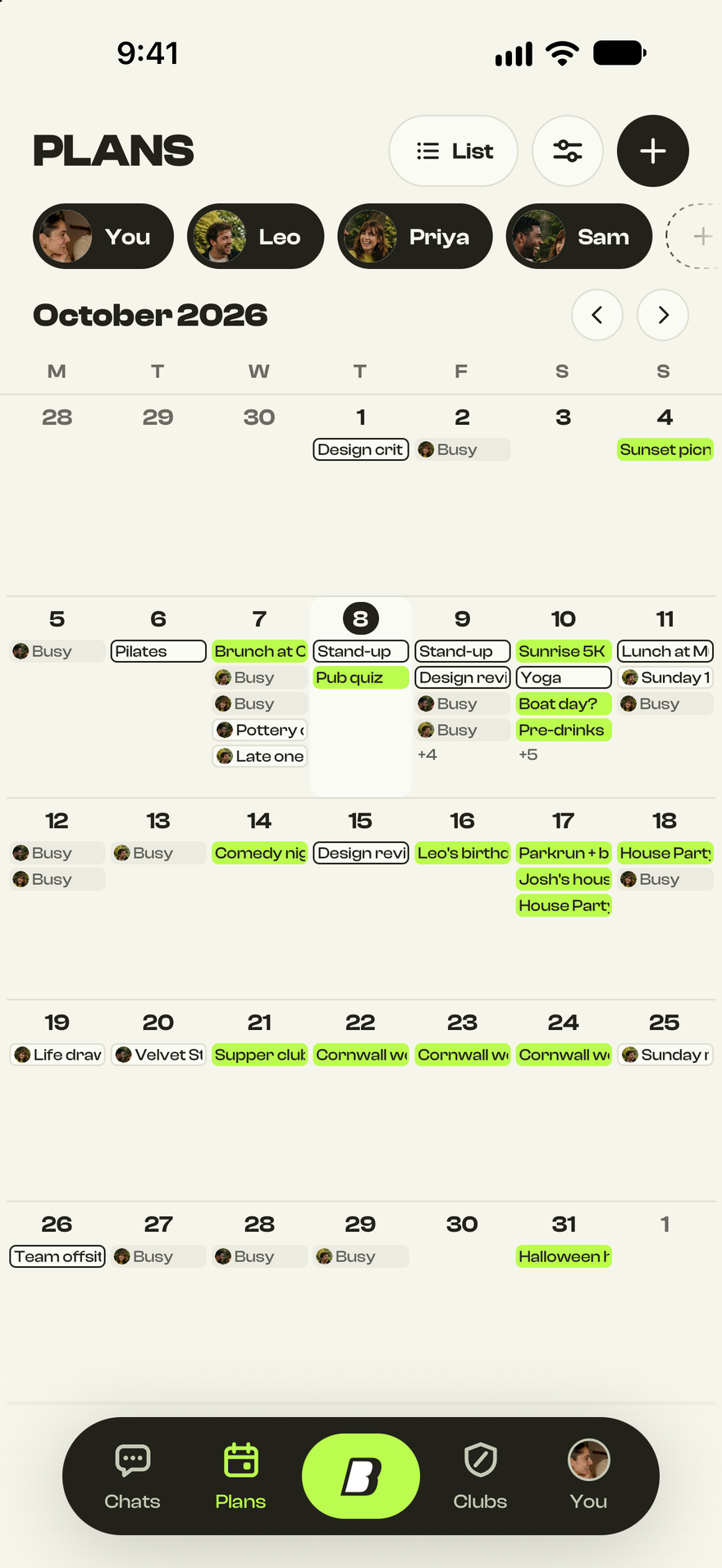
03 Shared calendars
See when friends are free
Share your calendar with the friends you pick. Their plans sit next to yours and private ones only say Busy, so finding a free night is easy.
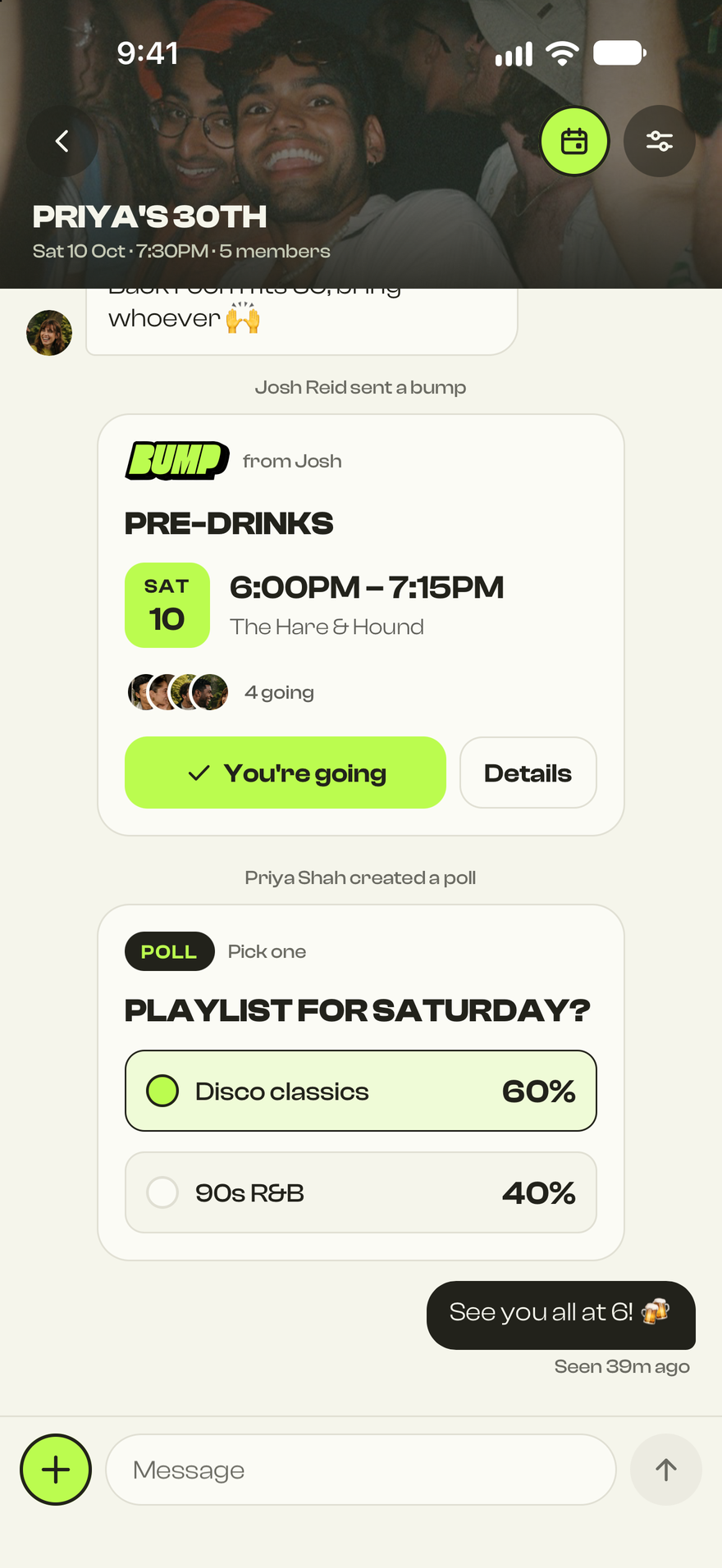
04 Polls
Settle it in the chat
Can’t agree where to go? Start a poll. Results fill in live and the winner is obvious.
05 Split
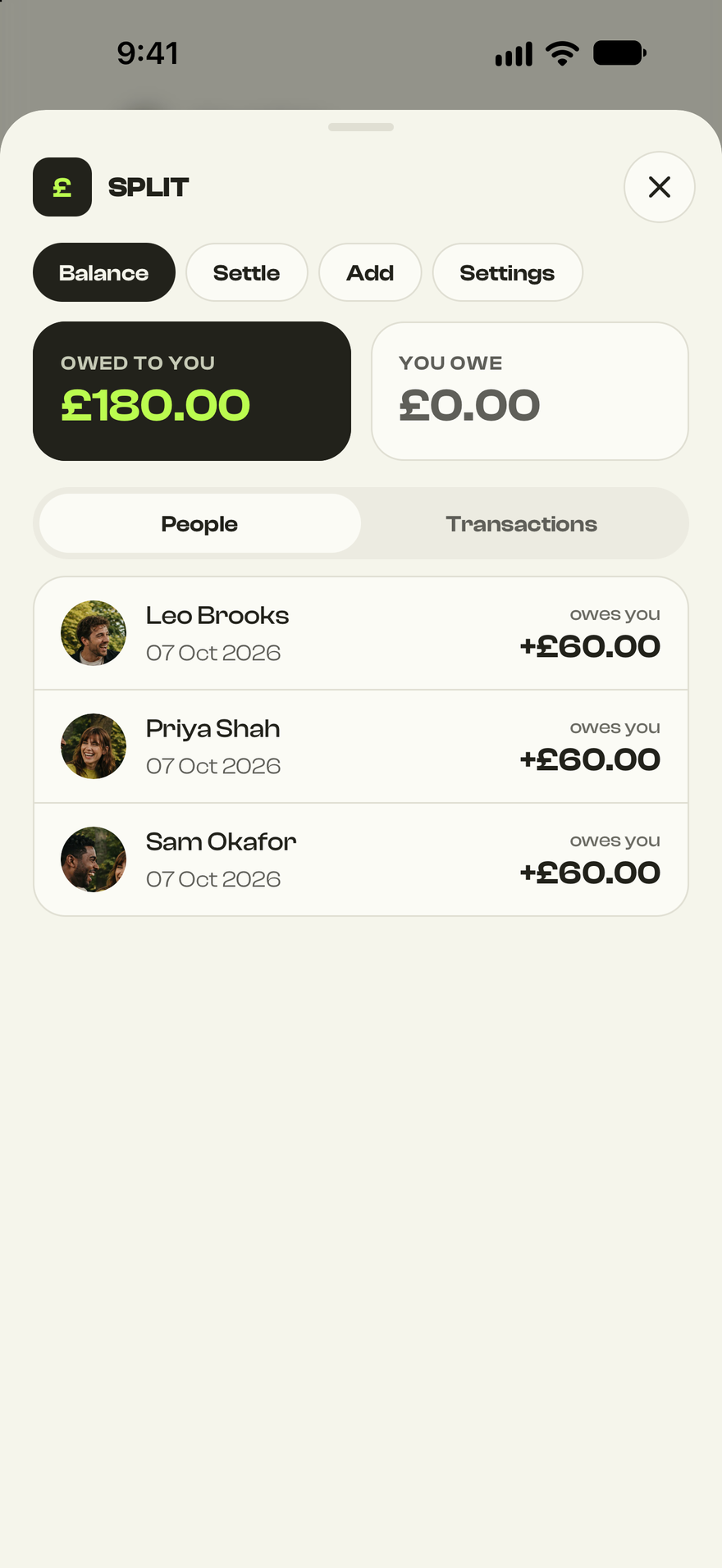
Split it without the maths
Add what you paid and Bump works out who owes what. Settle up when you’re ready, no awkward reminders.
06 Clubs
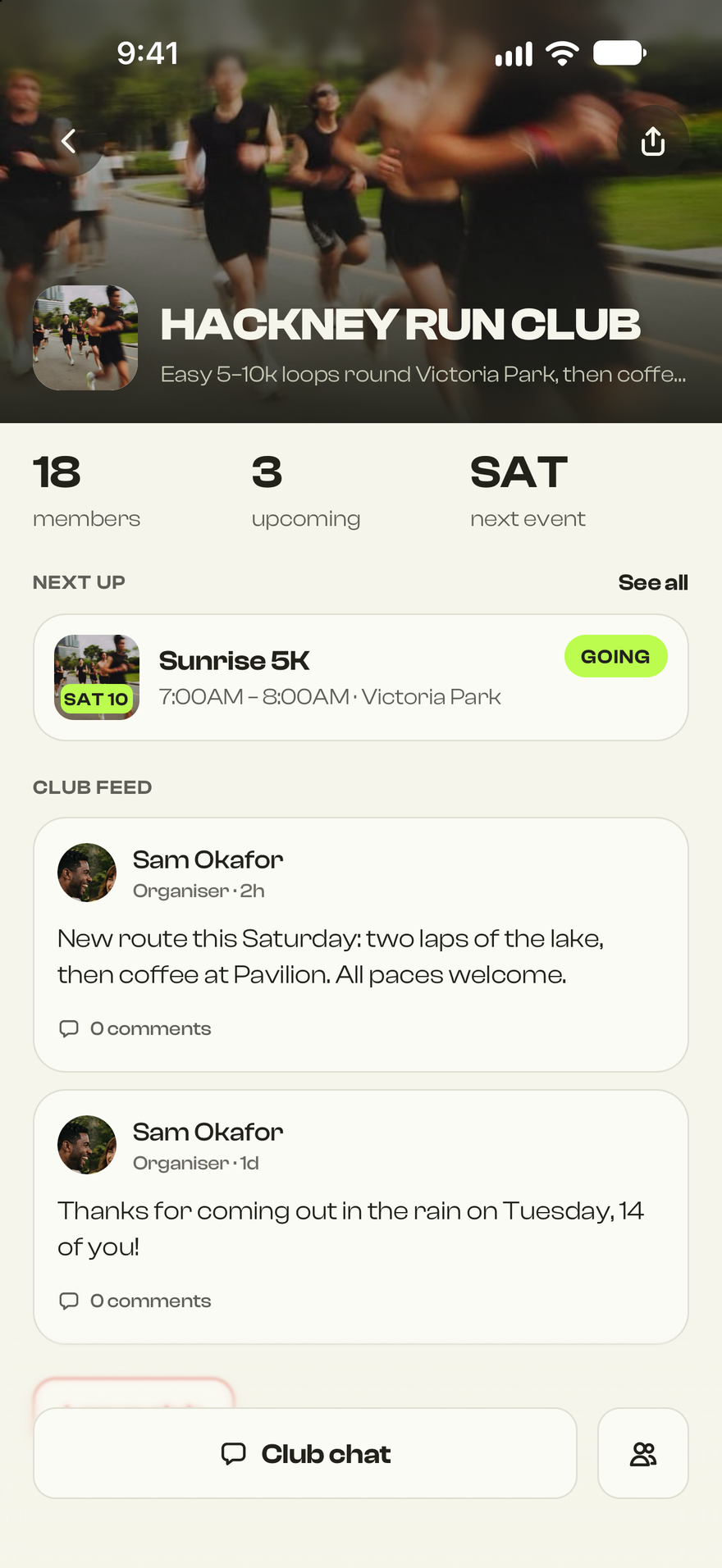
Run the regulars
Run clubs, five-a-side, book club. Keep members, recurring events and the chat together.
The Bump TestFlight beta
Get your crew on Bump first
- First inUse Bump with your people before anyone else.
- Shape itSend feedback from inside the app. We read all of it.
- Fresh buildsTestFlight updates Bump for you as we ship.
 Invite listiPhone beta
Before you join
Good questions
What is TestFlight?
TestFlight is Apple’s free app for installing beta versions of iPhone apps. You install it from the App Store, then Bump installs through it like any other app.
How do I get in?
Leave your email on the invite list. We let people in in waves and email you a TestFlight link when your place is ready. Signing up doesn’t unlock access straight away.
Do I need an iPhone?
Yes. The beta is iPhone only for now, on iOS 16 or later.
Is it free?
Yes. The beta is free, and so is TestFlight.
Will my plans carry over to the full launch?
That’s the aim. Betas can change fast, so expect the odd rough edge and tell us when you hit one.
What happens to my details?
Your email is only used to manage your beta invite. If you add a phone number it’s stored privately with your signup and doesn’t sign you up to texts.